How to Use an IPv6-Only VPS: A Practical Guide
An IPv6-only VPS is a virtual server that works without a public IPv4 address and runs only over IPv6. Most modern Linux systems already support IPv6 out of the box, so in many cases you don’t need to change anything in your setup.
The tricky part comes when you try to connect from networks that still use only IPv4. In that situation, you usually need something like a reverse proxy or a service such as Cloudflare to make access work.
Below we’ll show how to order an IPv6-only VPS from BlueVPS and how to connect to it via SSH.
How to Order an IPv6-Only VPS from BlueVPS
- On our homepage, in the “Our Services” section, you can find IPv6 VPS. Here you can choose a plan that best fits your needs in terms of CPU, RAM, and storage.
- Customize your VPS configuration based on your requirements, such as operating system, control panel, location, extra IP address, and backup options.
- Proceed to checkout and complete the payment process.
- Once your VPS is set up, you will receive your login credentials, including the IPv6 address. After receiving all details, you will be able to connect to your server.
How to Connect to an IPv6-Only VPS
The easiest connection to the server can be made through PuTTY.
Open PuTTY and enter the VPS connection details:
Host Name: your IP address
Port: 56777
Connection type: SSH
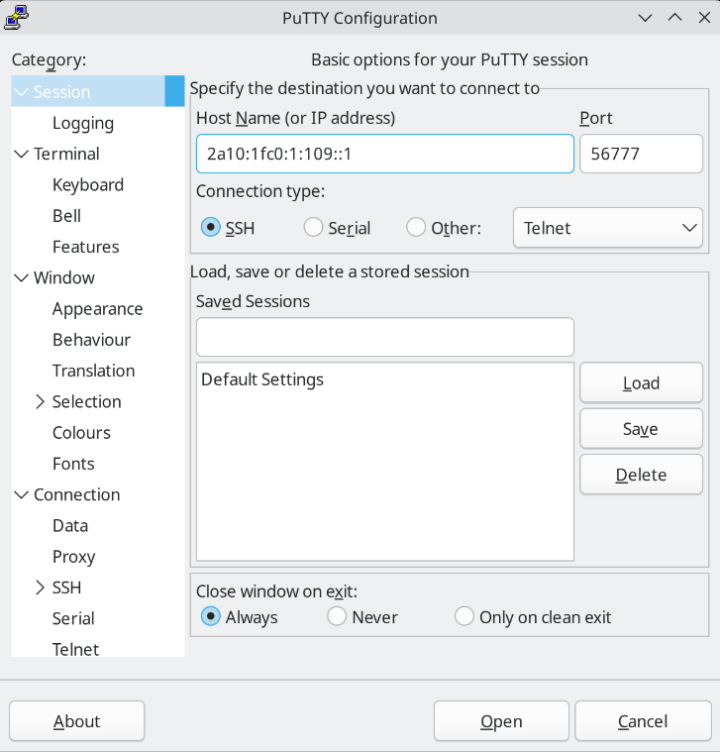
Then click Open. In the terminal window, enter your VPS username and the password provided for your server.
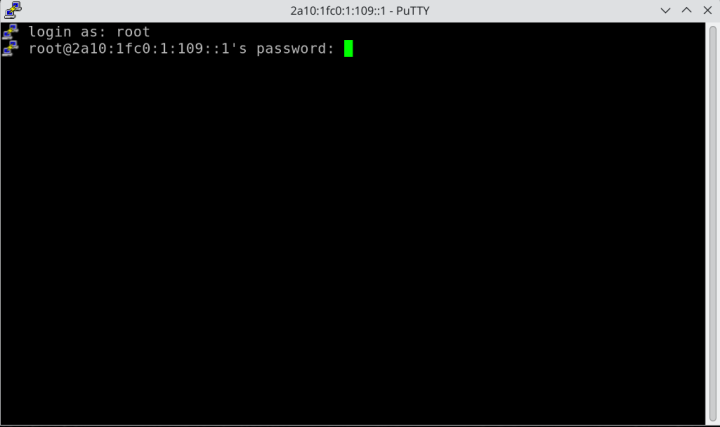
If the details are valid, you will be successfully connected to the server.
Note: If your internet provider does not support IPv6 and, as a result, it is not possible to access the server via PuTTY, you can use VNC in order to access the console of the VPS. VNC access can be found in the "Client Area"; next, click on "My products and Services" and then the final step is "Product details".
How to Make a Website on an IPv6-Only VPS Accessible from IPv4 and IPv6 Networks
If your website is hosted on an IPv6-only VPS, the server itself has only an IPv6 address without a public IPv4 address. Visitors with IPv6 support can access the website directly, but users who are still using IPv4-only networks may not be able to reach the server without an additional proxy layer.
For this purpose, you can use Cloudflare Proxy. As shown on the screen, add an AAAA DNS record in the "Type" section, and specify your name and IPv6 address. Next, enable the orange cloud icon so the record status becomes Proxied.
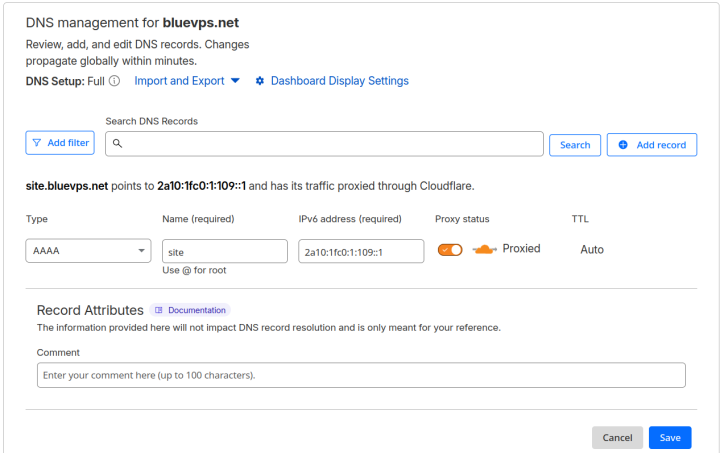
When Cloudflare Proxy is enabled, visitors connect to Cloudflare, and Cloudflare forwards the request to your VPS over IPv6. This allows the website to be opened by users from both IPv4 and IPv6 networks, even though the VPS itself only has an IPv6 address.
Blog